Glamis Guide / Group Ride
Nobody gets left in the bowl.
Your whole crew, on the map.
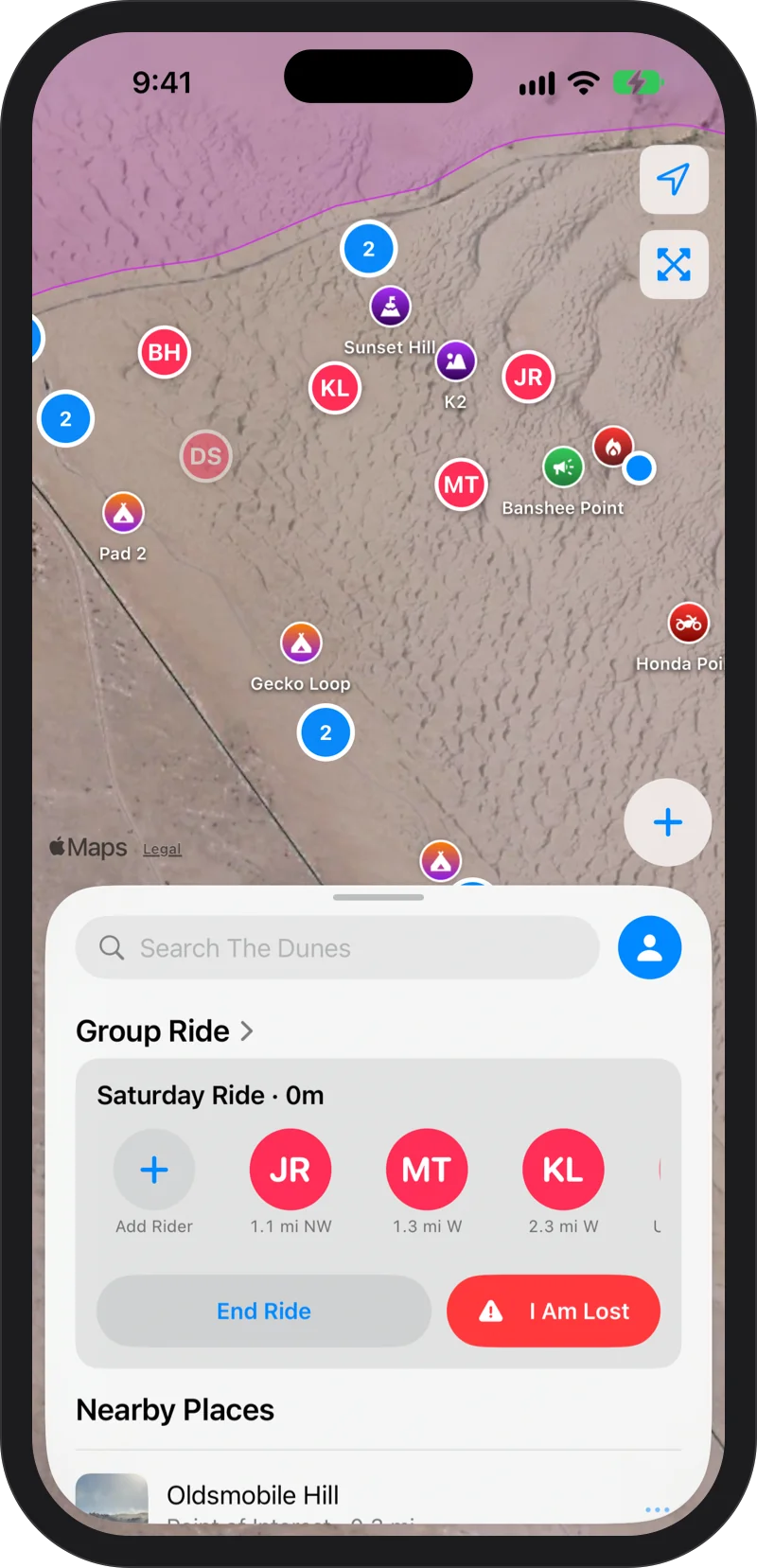
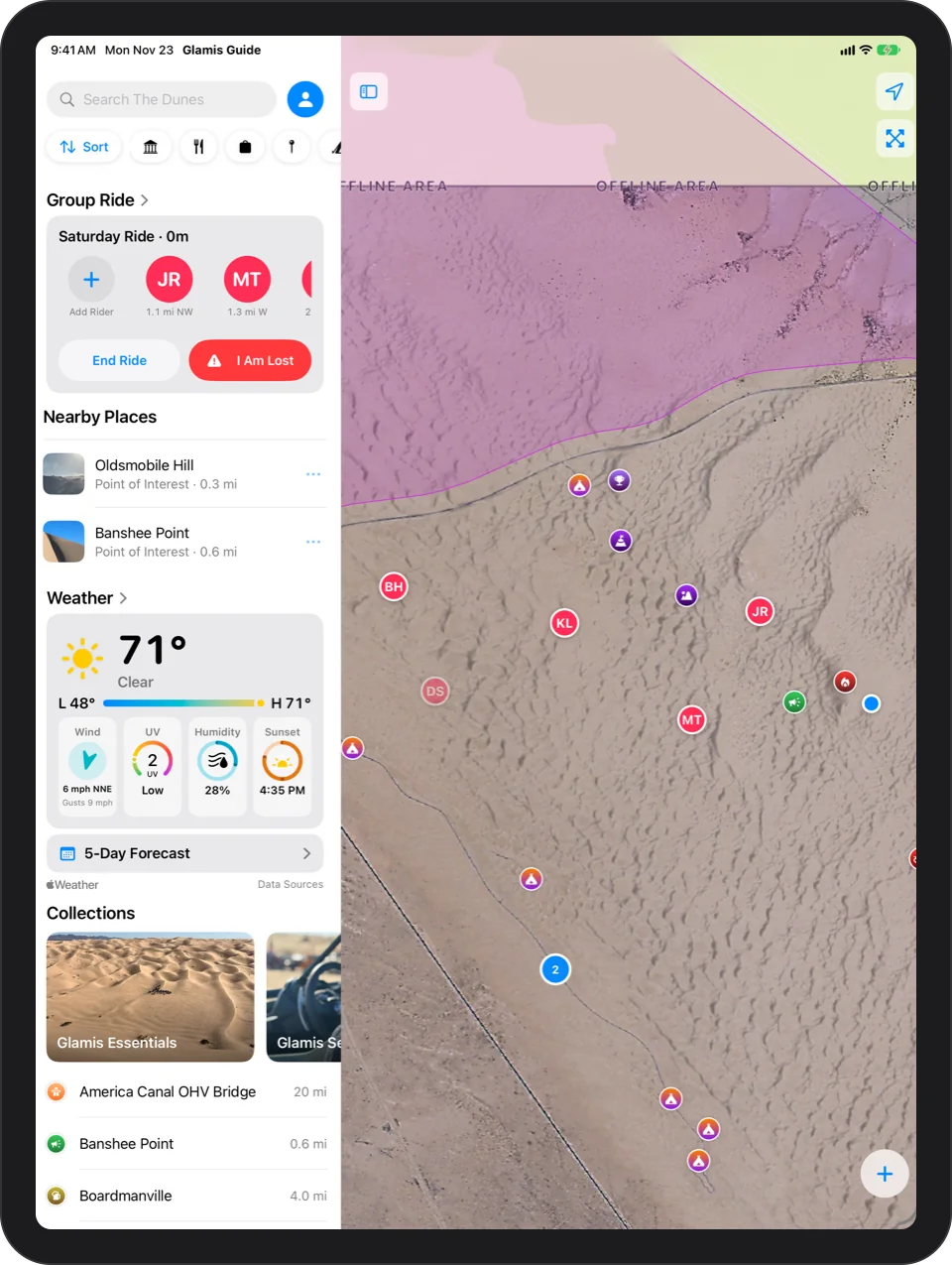
Start a group ride and every rider shows up on the map of the dunes. See who is where, get directions to any rider, and alert the whole group with one tap if you get lost.

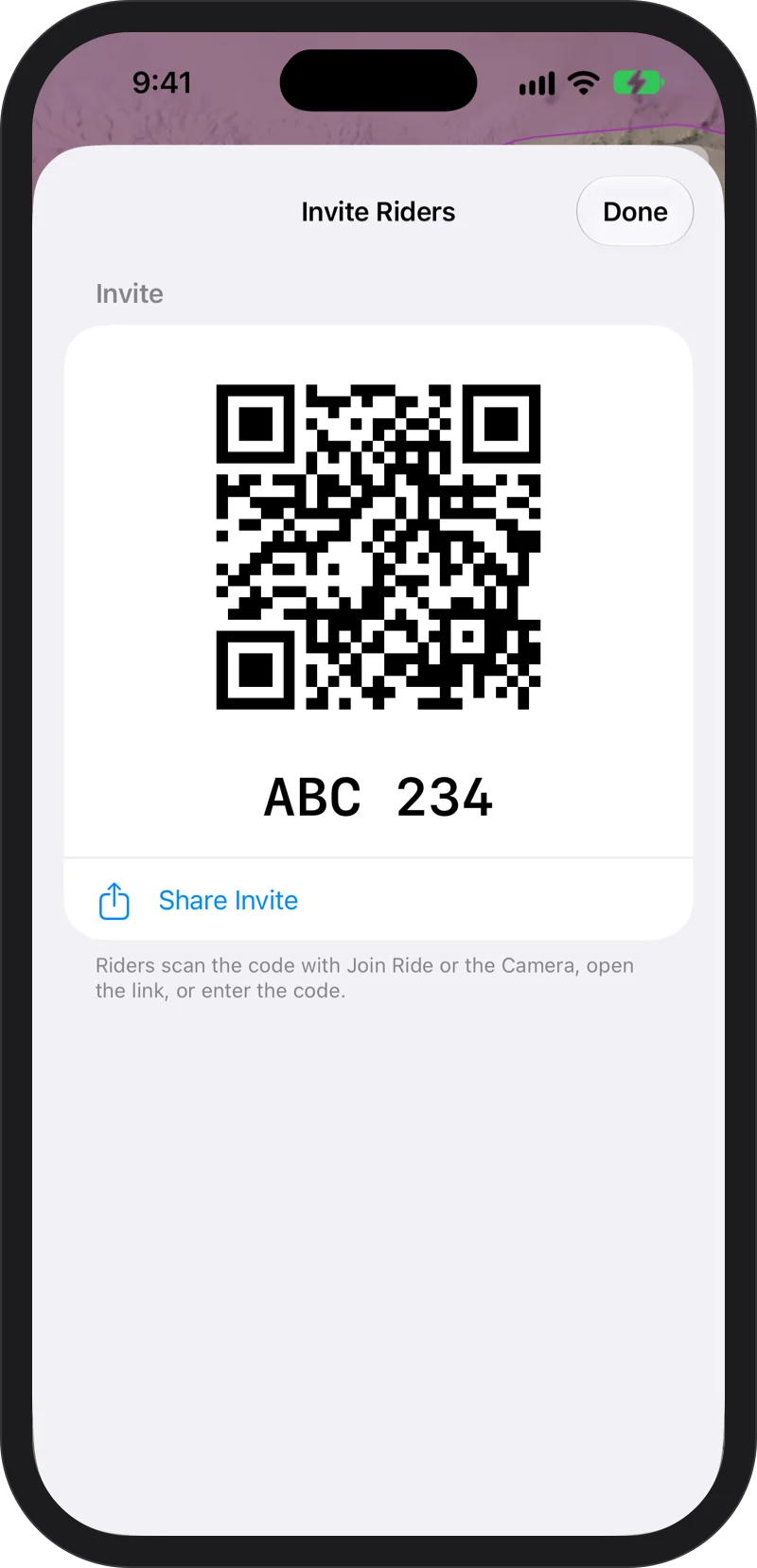
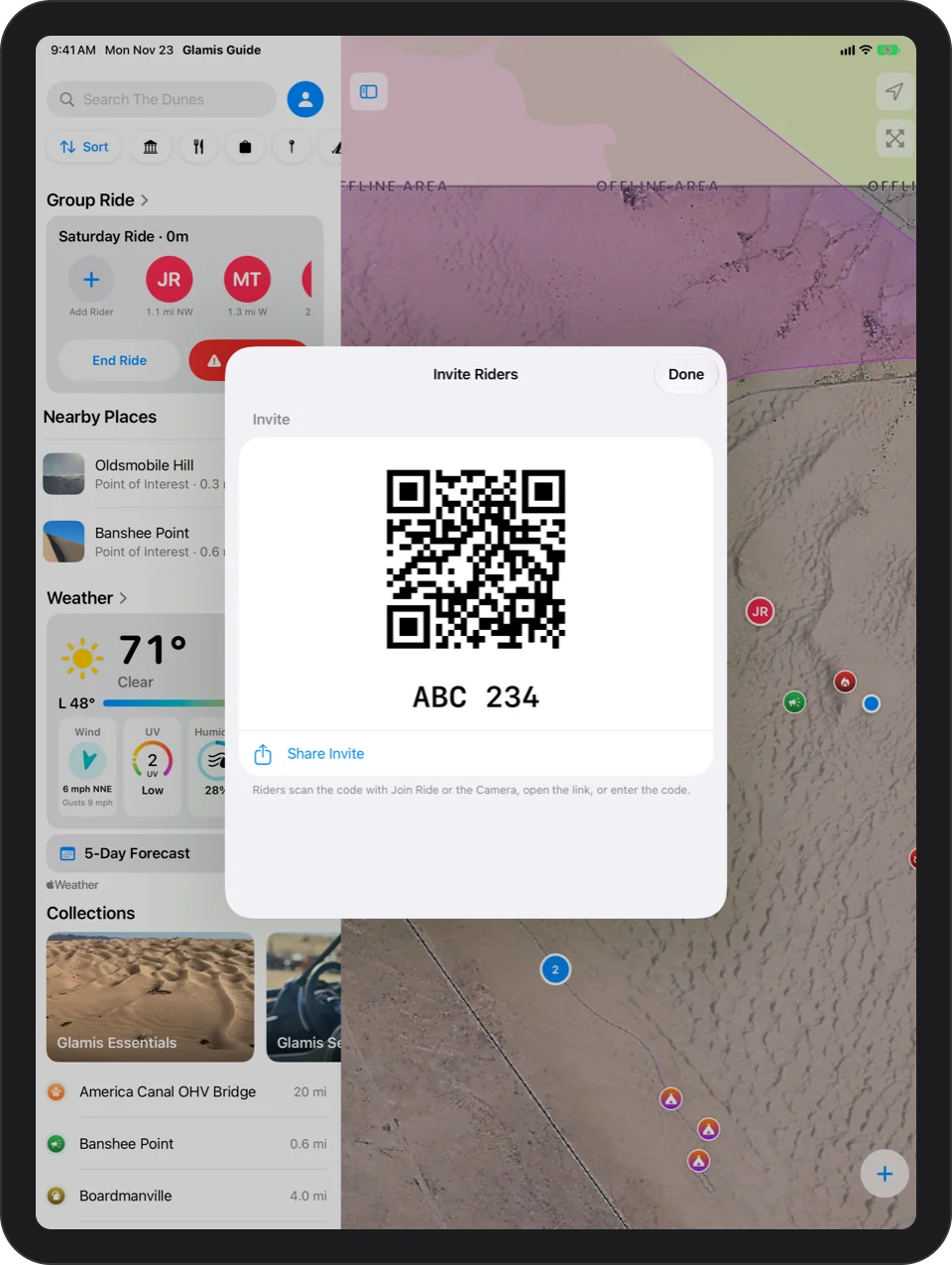
Create A Ride, Invite The Crew
Tap Create Ride on the Group Ride card, then Invite Riders. Riders scan the QR code on your phone, open the link you send, or enter the six-character code. A ride holds up to 12 riders.
Pick a pin label of one or two characters, and add your name and vehicle so the group knows who is behind each pin.
No App? They Can Still Ride
A friend without Glamis Guide opens the invite on iPhone and joins from the App Clip, with nothing to install. If they get the app later, the ride moves over with them. How sharing works.
Start Ride, End Ride
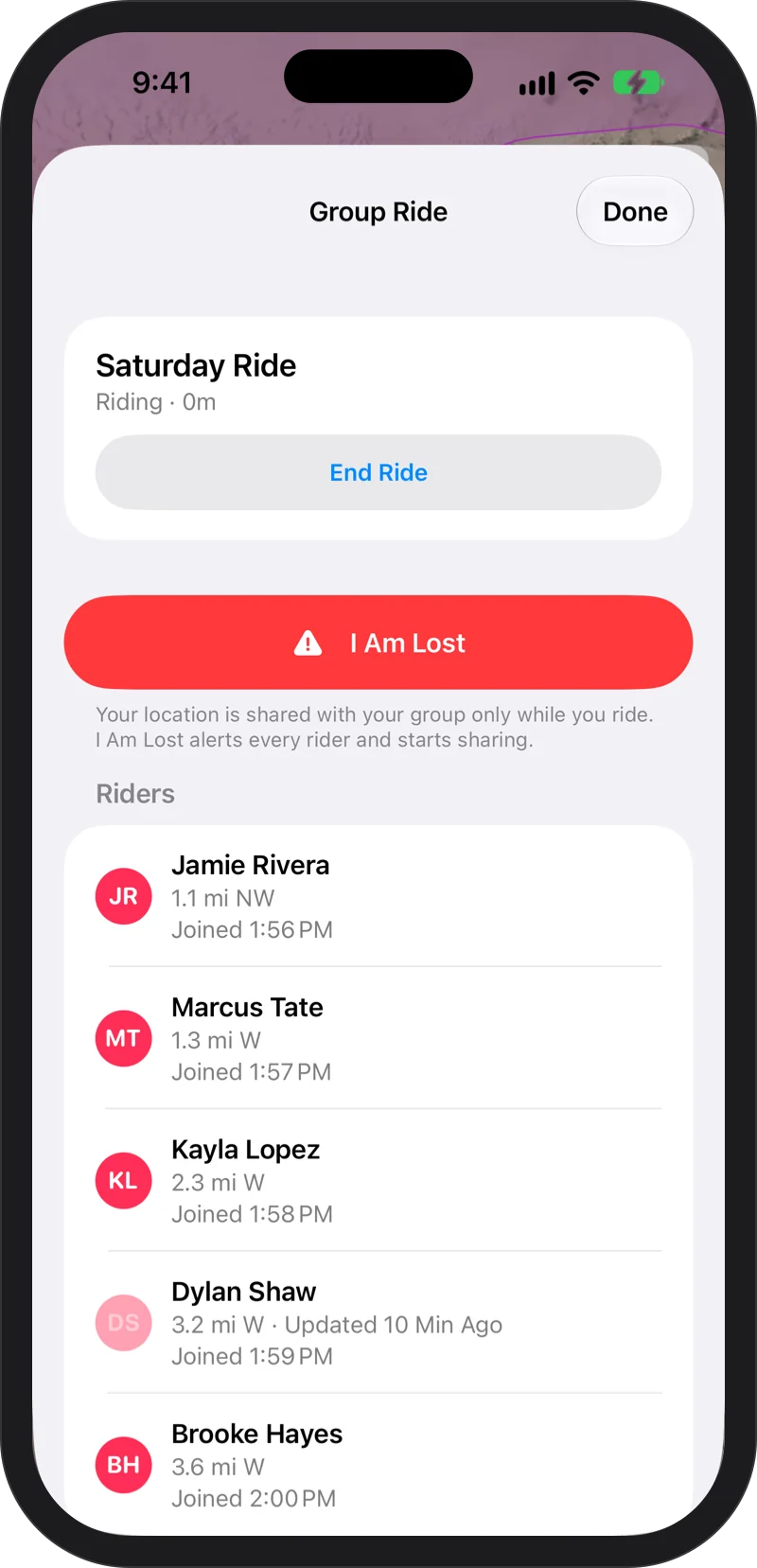
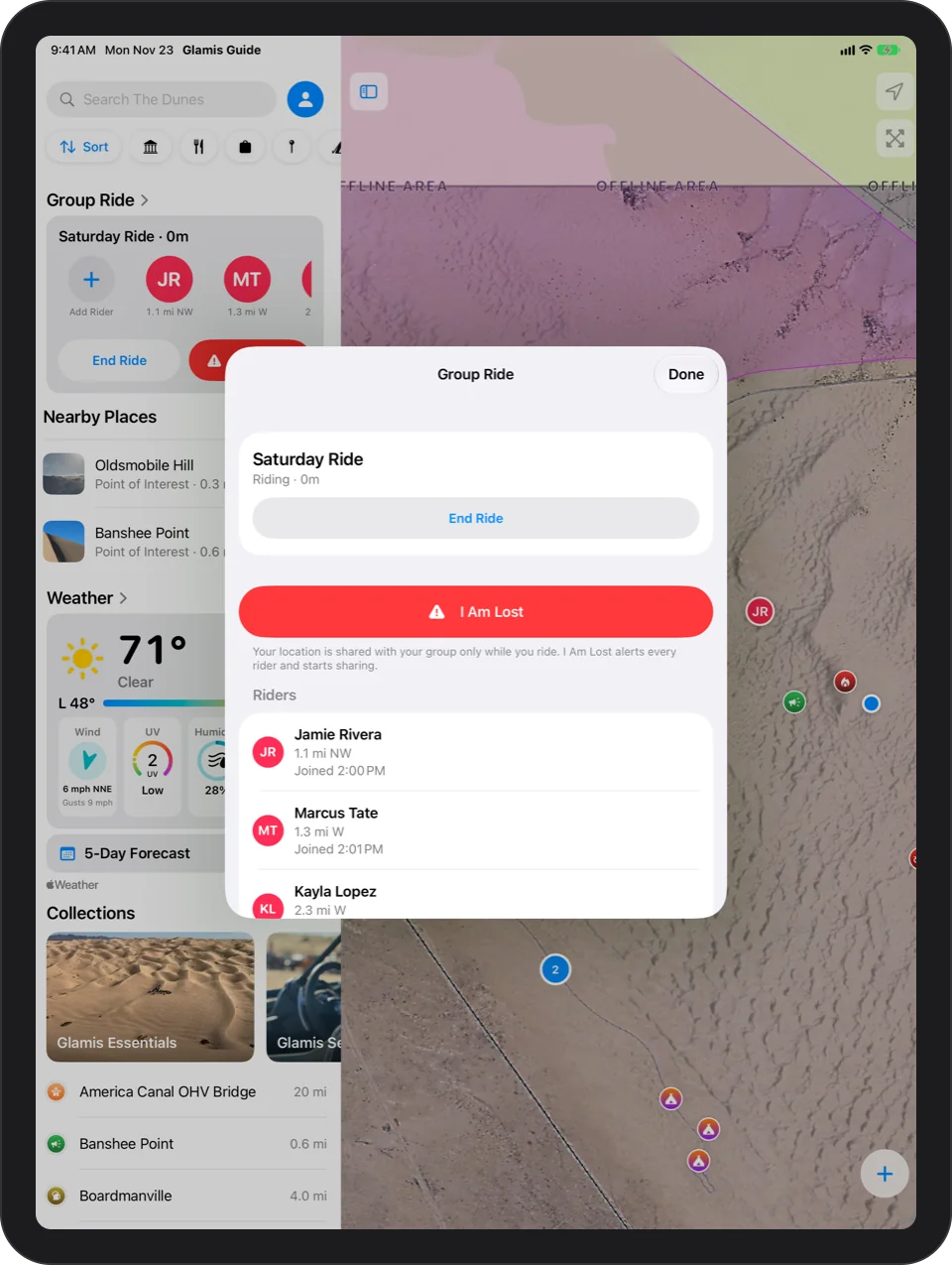
Your position is shared only between Start Ride and End Ride. It keeps sharing with your phone locked, about every 15 seconds while you move.
Forget to end it? After 30 minutes without moving, the app asks Still Riding? and ends the ride if nobody answers. The group stays, so the same crew rides again tomorrow without a new invite.
Find Any Rider
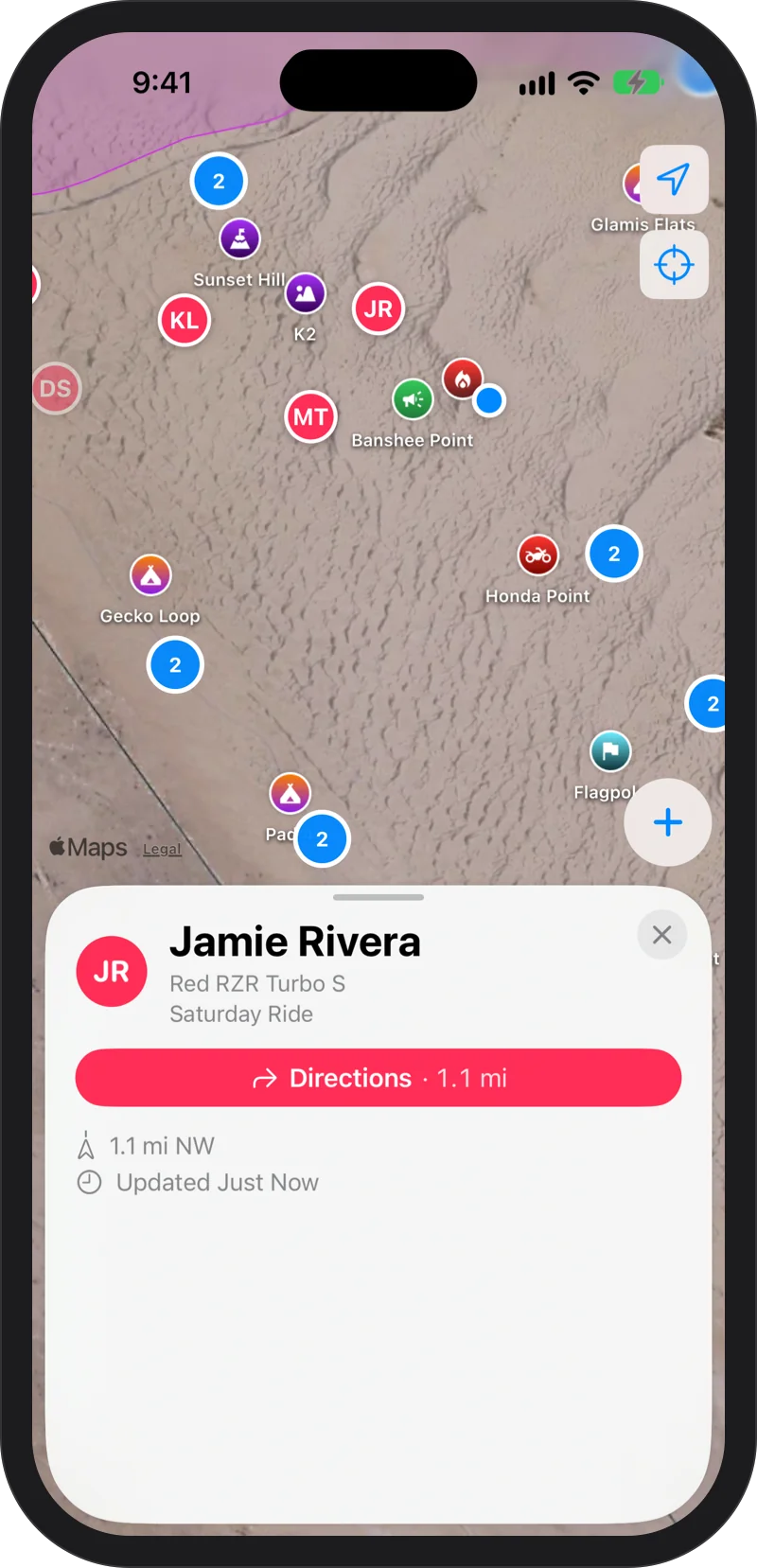
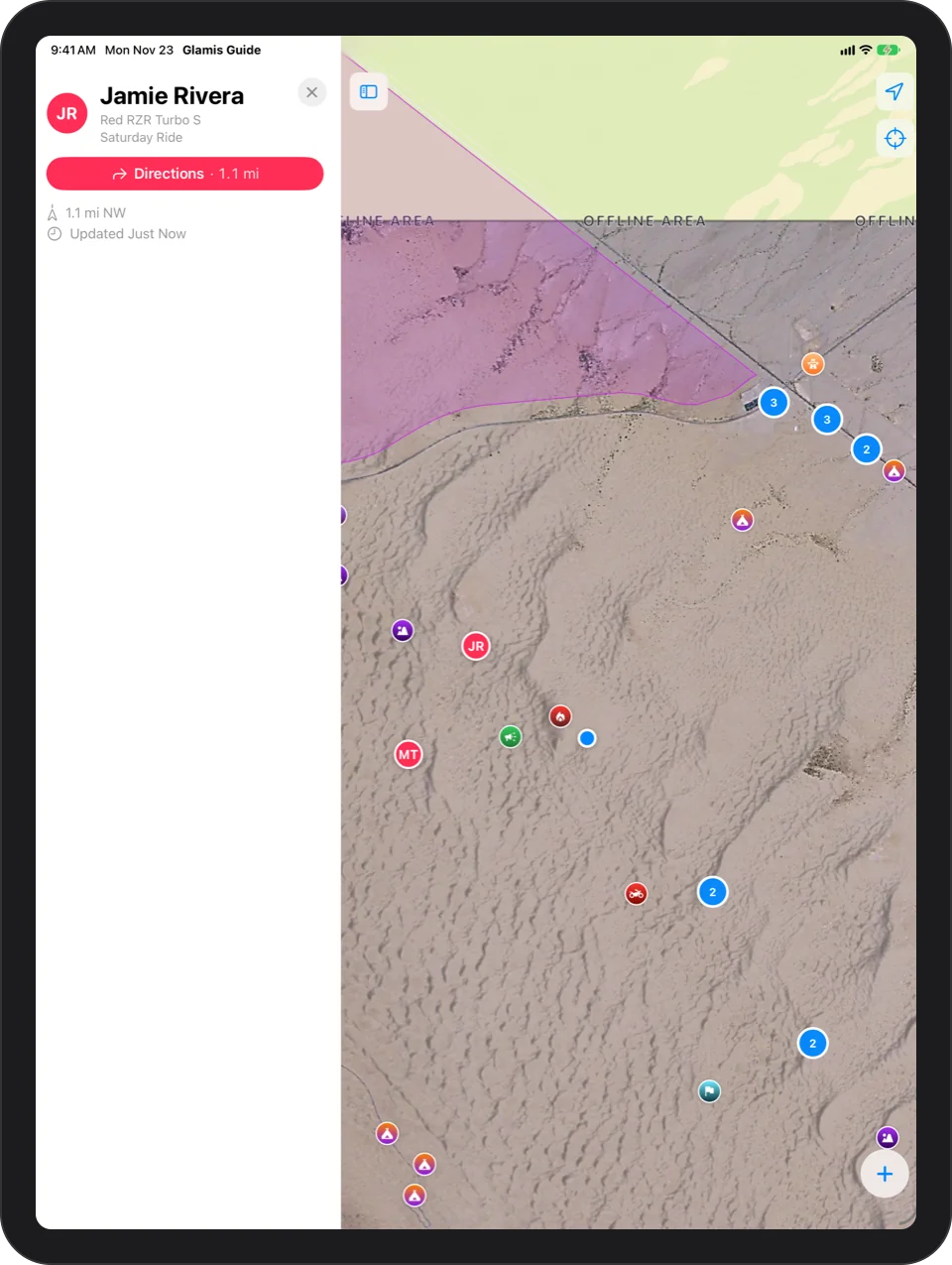
Tap a rider for their name, vehicle, distance and direction. Get Directions draws a straight line to them and follows them as they move. A rider who has not updated in a while fades, with the time of the last update. How navigation works.
I Am Lost
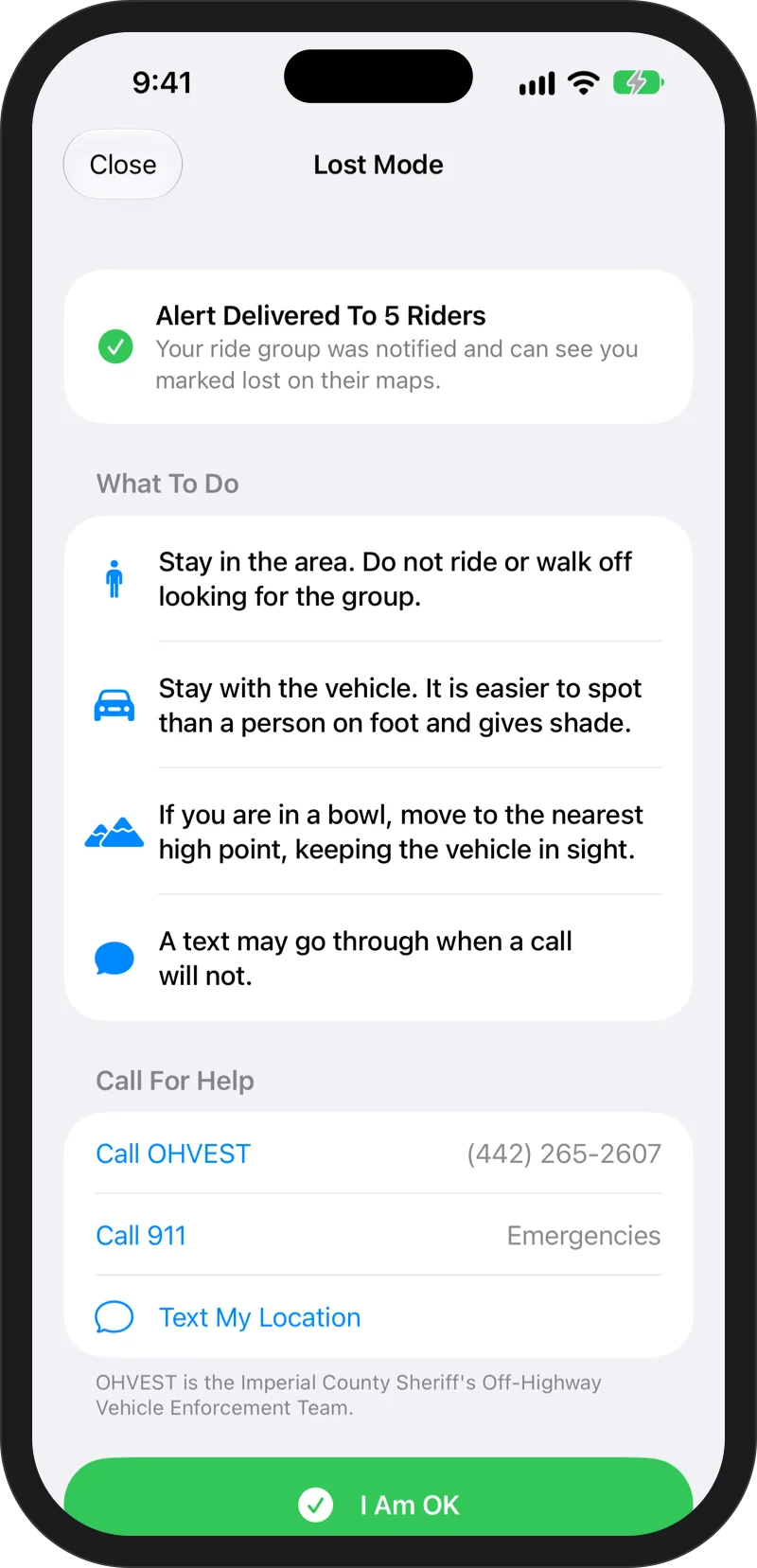
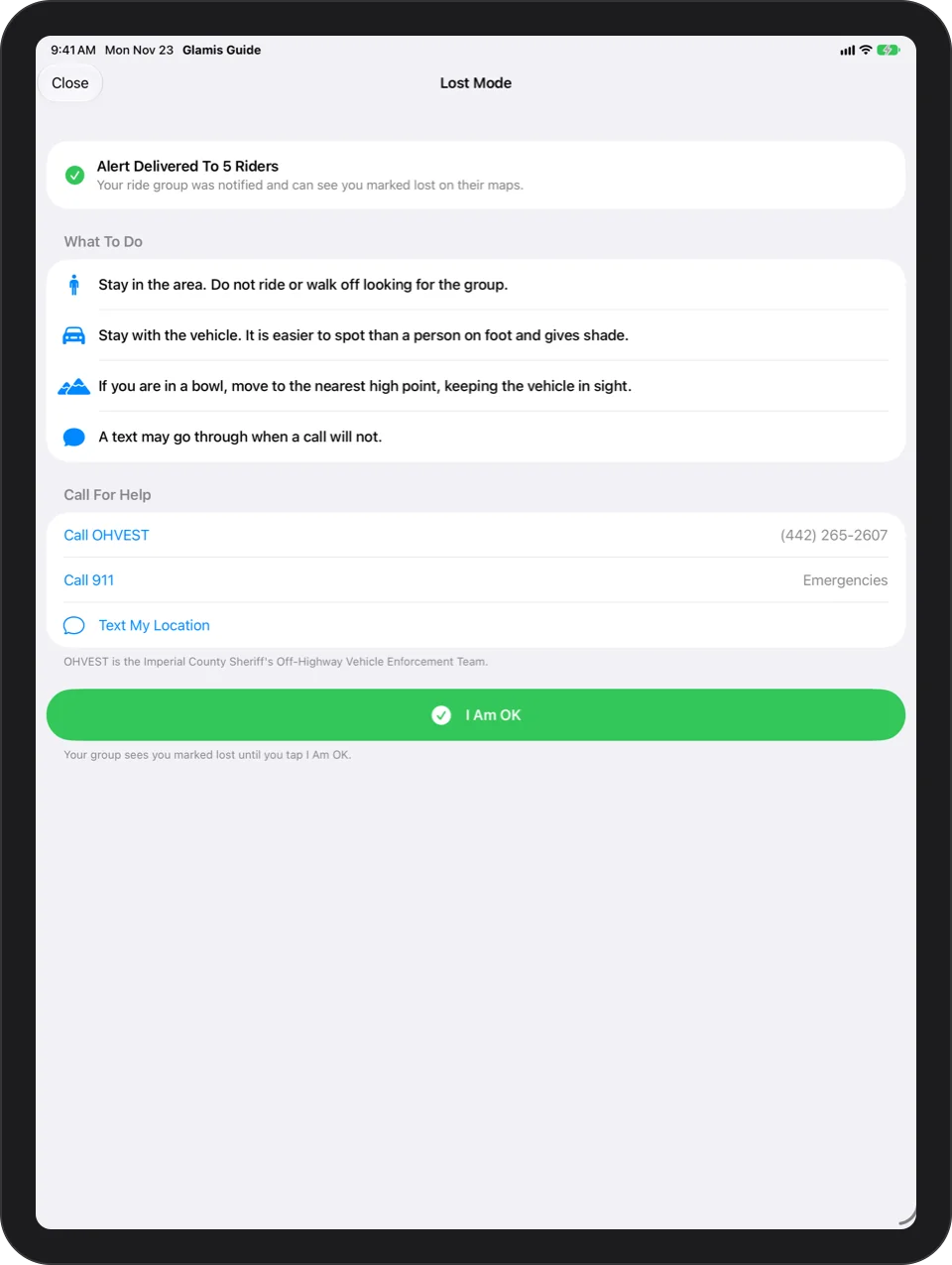
One tap alerts every rider in the group and turns your pin red. No signal where you are? The alert waits and sends itself the moment your phone finds one. Tap I Am OK when you are found.
While you wait, the app shows what to do, with buttons to call 911, call the Imperial County Sheriff off-highway team, or text your coordinates.
Searched Area
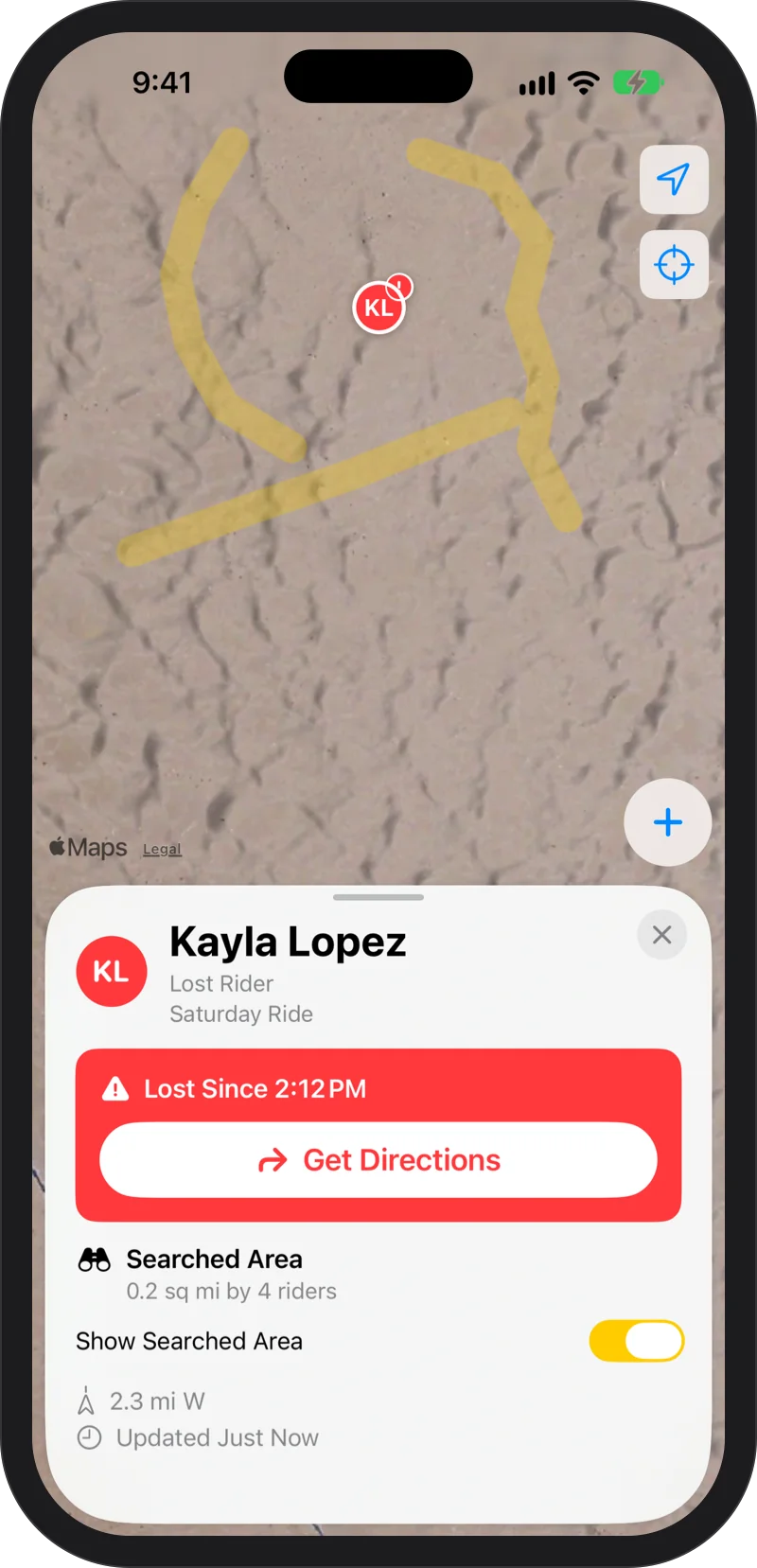
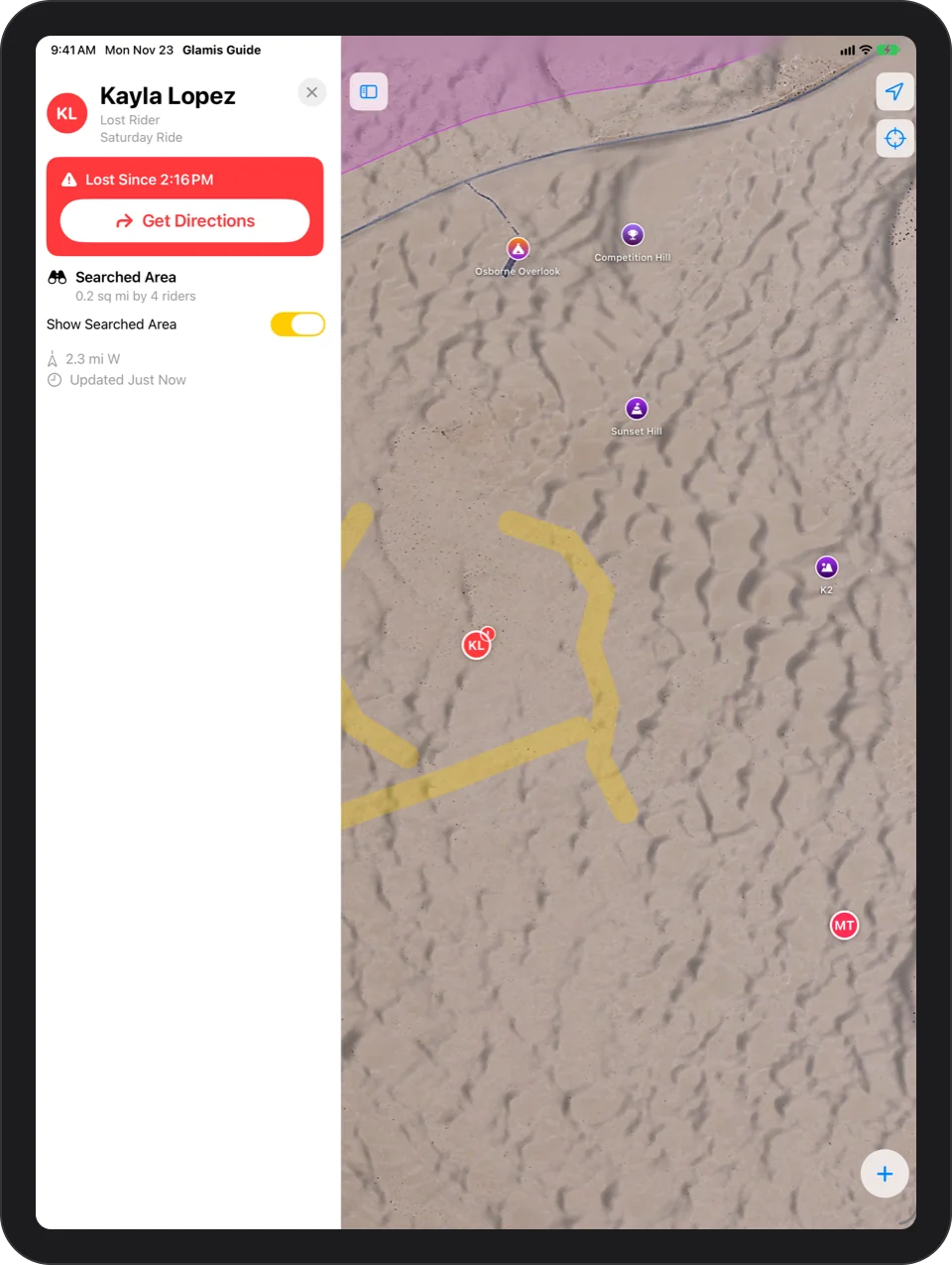
While a rider is lost, the map shades the ground the rest of the group has already covered, so nobody searches the same bowl twice. The shading clears as soon as everyone is found.
On Your Wrist And In The Car
Apple Watch lists the riders and points an arrow at any of them, with a tap on the wrist when someone is lost. CarPlay shows the riders on the map and in a Riders list. Glamis Guide on Apple Watch.
Group Ride Needs A Signal
The map works with zero bars. Rider positions do not: they travel over your cell connection, so a rider in a dead spot stays at their last position, marked with how long ago it was, until their phone reconnects.
Only Your Group Sees You
No account. Your position goes only to the riders in your group, only while you ride, and your last position is deleted 24 hours later. Privacy policy.

Every dune, offline.
Free on the App Store. Requires iOS 17 or later; the Apple Watch app requires watchOS 11 or later.